Step 1 – Right click on the wireless networks icon

After right clicking select “Open network and sharing center”

Step 2 – Select “Manage wireless networks”
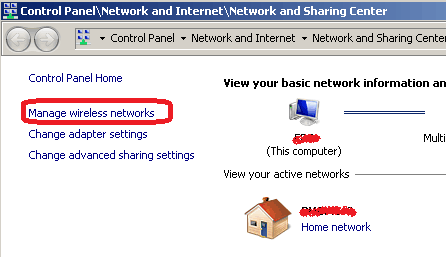
This will give you a list of previously configured wireless networks
Step 3 – Select the desired network

Select the desired network and double click it or right-click and select “Properties”
Step 4 – Reveal the password
In the properties dialog / “Security” tab, click on the “Show characters” checkbox to reveal the password: